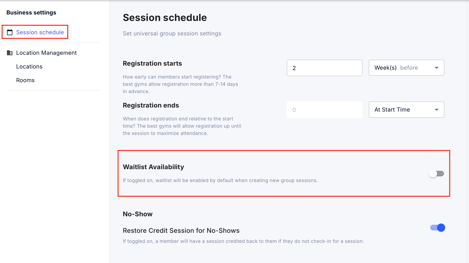
Enabling your waitlist allows clients to book a session that is already full to be next in line if there is a cancellation.
Step 1: Navigate to Business Settings
- Log in to your GymOwners.com account.
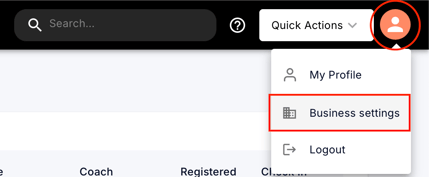
- In the top-right corner of the dashboard, click on the person icon.
- From the dropdown menu, select Business Settings.
Step 2: Access Session Schedule Settings
- Within Business Settings, click on Session Schedule on the left.
- Waitlist Availability: If toggled on, waitlist will be enabled by default when creating new group sessions.