GymOwners.com gives you the control over when members can register for classes! You can set registration start and end times for both group and private sessions.
Step 1: Navigate to Business Settings
- Log in to your GymOwners.com account.
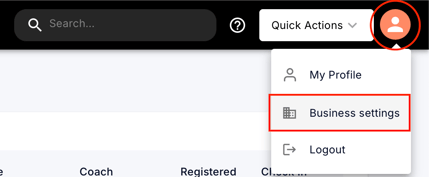
- In the top-right corner of the dashboard, click on the person icon.
- From the dropdown menu, select Business Settings.
Step 2: Access Session Schedule Settings
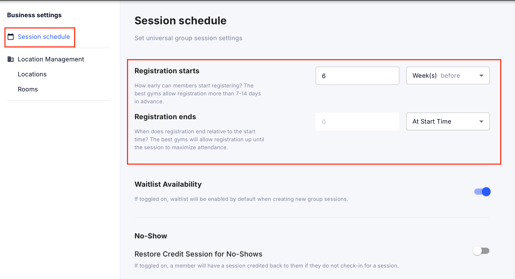
- Within Business Settings, click on Session Schedule on the left.
- Registration starts: Choose how far in advance members can register—whether immediately when a class is posted or up to 60 days before.
- Registration ends: Choose when sign-ups end—whether at class start time, hours before, or even days in advance.
-
Updating these settings applies to all future sessions but does not affect already registered members.
-
The default remains at 2 weeks before class start, so you don’t need to make changes unless you want more customization.